
Why Video Editing Matters: Boost Engagement & Brand Impact
What Is Video Editing?
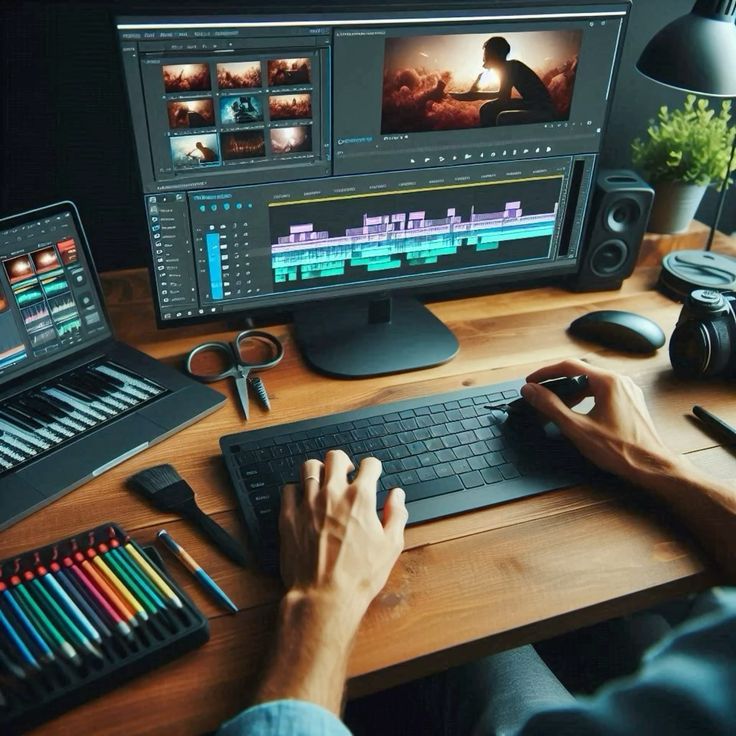
Video editing is the art and technical process of transforming raw footage—captured from cameras, screen recordings, or smartphones—into a compelling, cohesive story. Editors trim clips, arrange them on a timeline, add transitions, music, titles, color correction, and effects to guide viewers on a journey.
While filming captures the moment, editing shapes it—setting pacing, mood, and narrative flow to ensure the final product resonates.
Why Video Editing Matters for Brands & Agencies
- Boosts Engagement & Retention
Polished editing hooks viewers in the first seconds and keeps them watching longer—vital for platform algorithms and brand recall
2. Enhances Conversions & SEO
Videos with clear structure, branded visuals, and embedded CTAs can increase conversions by up to 80%, while strong watch times boost SEO performance
3. Strengthens Brand Image
Clean, professional visuals—consistent colors, audio, typography—elevate credibility and brand perception
4. Optimizes for Every Platform
Each channel demands something different—short, punchy stories for Reels; longer content for YouTube; captions and mobile optimization for all. Editing ensures fit and impact
5. Supports Strategic Storytelling
Editing crafts emotional arcs from raw footage—structuring clips to build tension, empathy, or excitement, guiding viewers toward action
Top Trends in Video Editing for 2025
According to Pixflow’s deep dive, here’s what’s trending this year SEO-optimized, engaging content:
AI-Powered Tools: Automate scene detection, cropping, and audio cleanup, freeing editors to focus on storytelling.
Mobile-First Editing: Prioritize vertical formats, fast pacing, bold text—perfect for TikTok, Reels, and Shorts.
Stylized Color Grading: Use mood-driven palettes—dramatic LUTs, cinematic finishes—to evoke emotions visually.
Kinetic Typography & Motion Graphics: Dynamic text synced to music adds excitement and clarity.
Immersive Formats: 360° and VR videos are gaining ground, especially for experiential storytelling.
Essential Tips for Beginners
Based on best practices and expert insights:
Plan & Script First — Save time and stay focused by storyboarding or scripting before editing .
Trim What Doesn’t Serve the Story — A tight, well-paced cut keeps viewers engaged
Use B-roll Wisely — Cover cuts, add context, and smooth transitions Keep Visuals and Audio Consistent — Stable color grading and clean audio ensure a polished result
Optimize for Mobile & Platform Specs — Vertical formats, captions, and shorter durations for mobile-first audiences
Learn Keyboard Shortcuts — Speed editing and workflow efficiency
Refine with Data — Use analytics to test length, format, CTAs—and refine over time
- Refine with Data — Use analytics to test length, format, CTAs—and refine over time
Recommended Tools & Techniques
| Tool | Ideal For |
|---|---|
| DaVinci Resolve | Free, pro-level color grading and audio mixing |
| Premiere Pro | AI features like Auto Reframe, Scene Edit Detection |
| iMovie / Clipchamp | Beginner-friendly, simple edits for social content |
| AI Platforms (Pictory, Wave.video, Steve.ai) | Template-driven, fast, and great for rapid content creation |
Video editing transforms raw content into engaging stories that capture attention, build trust, drive conversions, and stay optimized for search and social platforms. By embracing AI tools, mobile-first formats, color artistry, and clean storytelling, agencies can craft content that resonates—and performs.
If you’re looking to elevate your business through expert video editing and strategic social media management, partner with SHRI DIGITAL. Whether it’s crafting scroll‑stopping Reels, optimizing long‑form content, or building a consistent video strategy across platforms, we’ve got you covered.
👉 Let’s chat about how we can create powerful video content that drives engagement, builds your brand, and grows your audience.